

If you’ve tried using ChatGPT or Gemini for SEO and gotten generic, useless output, the problem probably isn’t the AI – it’s the prompt. Most people type something like “write an SEO article about X” and wonder why the result reads like every other AI-generated page on the internet.
The truth is, AI is only as good as the instructions you give it. A well-structured prompt tells the AI exactly what role to play, what input to work with, and what format to return – and that’s the difference between output you can actually use and output you have to rewrite from scratch.
Below are 10 AI prompts for SEO, organized by the actual tasks you’ll use them for – keyword research, content briefs, on-page optimization, internal linking, schema, and more. Copy them, swap in your own details, and adjust the tone to match your brand.
What Are AI Prompts for SEO?
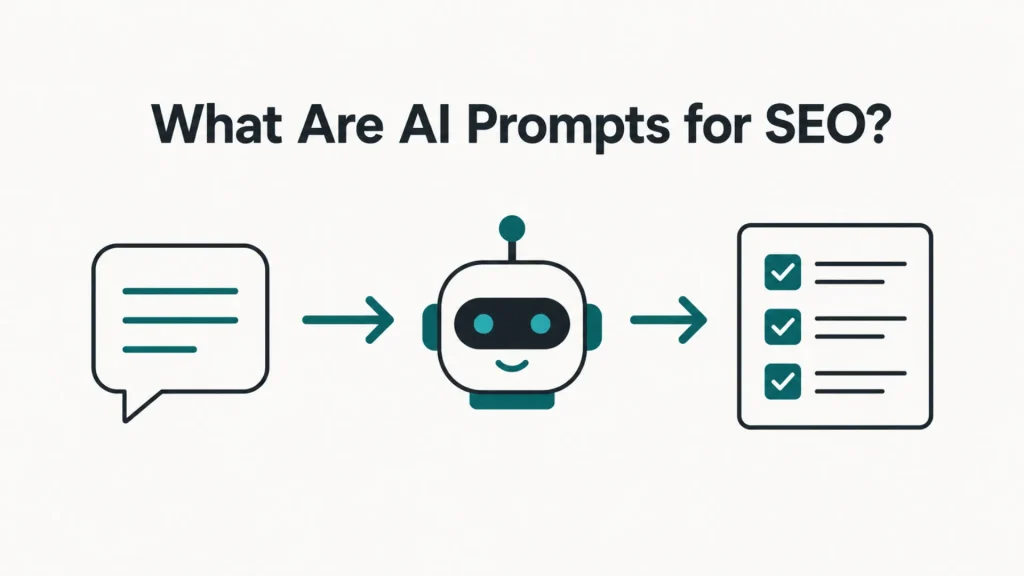
AI prompts for SEO are structured instructions you give a tool like ChatGPT or Gemini to help with a specific search optimization task – researching keywords, outlining content, writing meta descriptions, or auditing existing pages. The key word is structured: a vague prompt gets vague output, but a prompt with clear context, a defined role, and a specified output format gets something you can actually plug into your workflow.
10 AI Prompts for SEO You Can Use Today
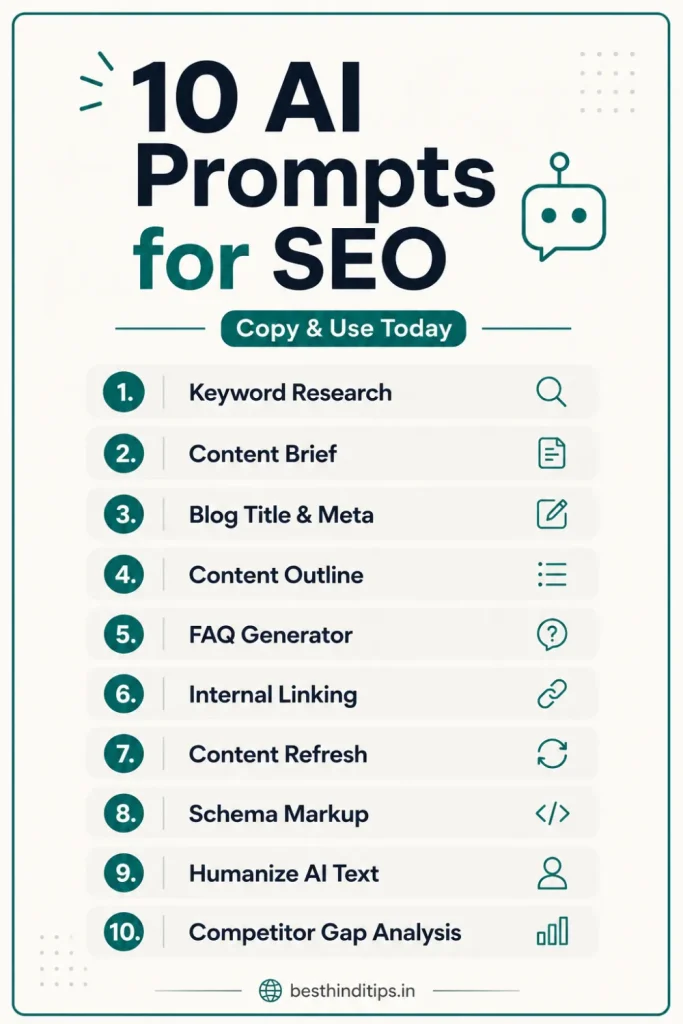
1. Keyword Research Prompt
Use this when you’re starting from a broad topic and need a starting list of keywords to investigate further in a tool like Ahrefs or Keyword Surfer.
Prompt:
Tip: Treat this as a brainstorming starting point, not final data – always verify actual search volume and keyword difficulty in a real keyword tool before committing to a topic.
2. Content Brief Prompt
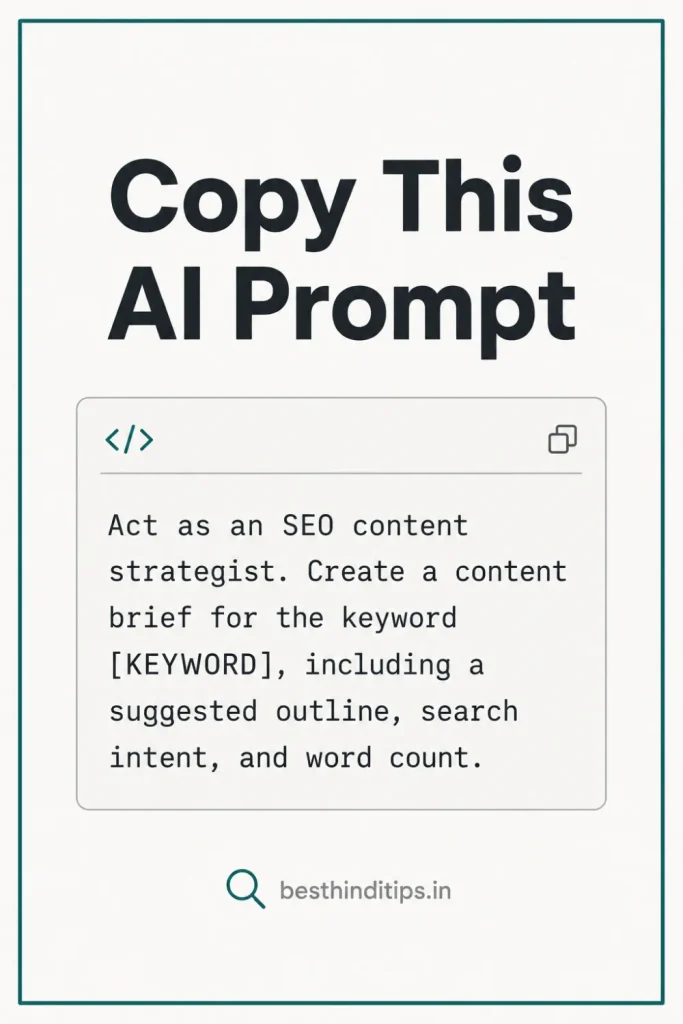
Use this once you’ve picked a primary keyword and need a structured brief before writing.
Prompt:
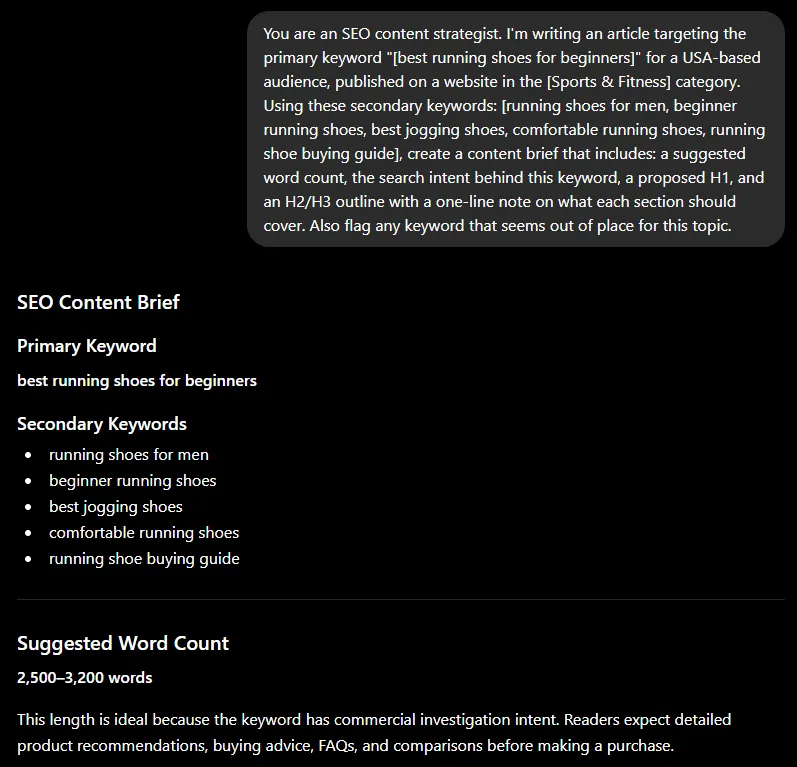
Tip: This works best when you paste in real keyword data (like your Ahrefs or People Also Ask screenshots as text) rather than just the keyword itself – the more context you give it, the more relevant the outline.
3. Blog Title & Meta Description Prompt
Use this for a quick, focused task – no need for a long prompt here.
Prompt:
Tip: Always double-check character counts yourself – AI tools often overshoot the limit, and a truncated title/meta in search results hurts click-through rate.
4. On-Page Content Outline Prompt
Use this when you need a full heading structure that naturally weaves in your keyword cluster.
Prompt:
Tip: If the AI forces a keyword into a section where it doesn’t fit naturally, drop it – readability and natural flow matter more to Google (and to real readers) than hitting every keyword variant.
5. FAQ Generator Prompt
A short, simple task – this one doesn’t need much setup.
Prompt:
Tip: Cross-check these against your own “People Also Ask” and “People Also Search For” screenshots – AI-generated FAQs are a good starting draft, but real search data should always have the final say on which questions make the cut.
6. Internal Linking Prompt
Use this once your draft is written and you want to strengthen internal linking – something Google explicitly looks for as a sign of a well-structured site.
Prompt:
Tip: Only link where it genuinely helps the reader navigate to related content – forced internal links (especially to unrelated topics just for SEO juice) can hurt user experience and, over time, topical relevance signals.
7. Content Optimization & Refresh Prompt
Use this on an existing published article that’s underperforming or has gone stale – a common and high-value SEO task.
Prompt:
Tip: This prompt is deliberately detailed because content audits genuinely need more context to produce useful feedback – a short, vague prompt here just gets generic “add more keywords” advice.
8. Schema Markup Prompt
Use this to generate structured data for FAQs or articles – a technical task that benefits from a bit more structure.
Prompt:
Tip: Always validate the generated schema using Google’s Rich Results Test before publishing – AI-generated JSON-LD occasionally has small syntax errors that break it.
9. Humanize AI Content Prompt
If you’re using AI to draft content, use this before publishing to make sure it doesn’t read like it was AI-generated.
Prompt:
Tip: No prompt fully replaces a manual editing pass – read the output aloud, and if a sentence feels like something you’d never actually say, rewrite it yourself. For a deeper dive into this exact process, check out our guide on prompts to make ChatGPT write like a human.
10. Competitor Content Gap Prompt
Use this before writing to see what top-ranking pages cover that you might be missing.
Prompt:
Tip: The real value here is finding the gap – the angle nobody else has covered – since matching competitors point-for-point rarely helps you outrank them.
Frequently Asked Questions (FAQs)
Q1. Are AI prompts for SEO free to use?
Yes, the prompts themselves are free – you just need access to a tool like ChatGPT or Gemini, both of which offer free tiers with usage limits.
Q2. Can I use these prompts on ChatGPT and Gemini both?
Yes, all these prompts work on both platforms and other AI chat tools, since they’re written as plain instructions rather than tool-specific commands. Output quality may vary slightly between tools, so it’s worth testing the same prompt on both.
Q3. Do AI-generated SEO articles rank on Google?
Google has stated it doesn’t penalize content for being AI-assisted – it evaluates quality, helpfulness, and E-E-A-T regardless of how content was produced. Purely AI-generated content with no human review, fact-checking, or added expertise tends to underperform, so treat these prompts as a starting draft, not a finished article.
Q4. What’s the best AI prompt for SEO content writing?
There isn’t a single “best” prompt – the most effective approach is using different prompts for different stages (research, outlining, drafting, humanizing, auditing) rather than one prompt trying to do everything at once, which is what the 10 prompts above are built around.
Conclusion
The best AI prompts for SEO aren’t the longest or most elaborate ones – they’re the ones matched to the specific task at hand. Use short prompts for simple jobs like meta descriptions, and more detailed prompts for tasks that genuinely need context, like content audits or briefs. Treat every AI output as a first draft, verify it against real data, and add your own judgment before publishing.
If you’re working on making your AI-assisted content sound more natural before you hit publish, check out our detailed guide on prompts to make ChatGPT write like a human. You can also explore our other AI prompt guides for Gemini and ChatGPT photo editing prompts if you’re building out visual content alongside your written articles.