

Running Google Ads without help is expensive. You’re guessing at headlines, second guessing your audience targeting, and burning budget while you figure out what works. ChatGPT won’t run your campaigns for you, but it can cut the guesswork down to minutes instead of hours.
Below are 12 ChatGPT prompts for Google Ads, organized by the stage you actually need them at keyword research, ad copy, targeting, extensions, and testing/reporting. Copy them, drop in your product details, and adjust the output before it goes live. Treat ChatGPT as a fast first draft, not a final decision-maker Google Ads still rewards specificity and real audience knowledge that only you have.
How to Use These Prompts (Read This First)
Every prompt below has a placeholder like [product/service] or [details]. Replace it with your actual offer – the more specific you are (price point, target city, unique feature), the better the output. A prompt like “write ads for my shoe store” gives you generic copy. “Write ads for a Colorado-based trail running shoe store targeting first-time ultramarathon runners” gives you something you can actually use.
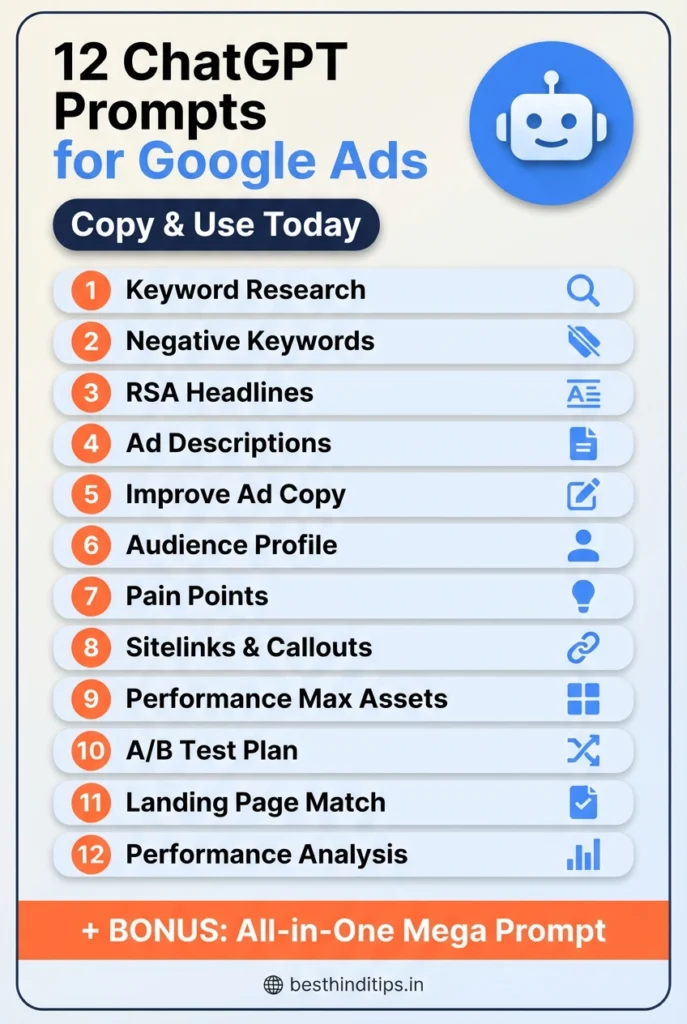
1. Keyword Research Prompts
Keyword selection decides who sees your ad and how much you pay per click. Get this wrong and everything downstream – copy, budget, conversions – suffers.
Prompt 1: High-intent keyword list
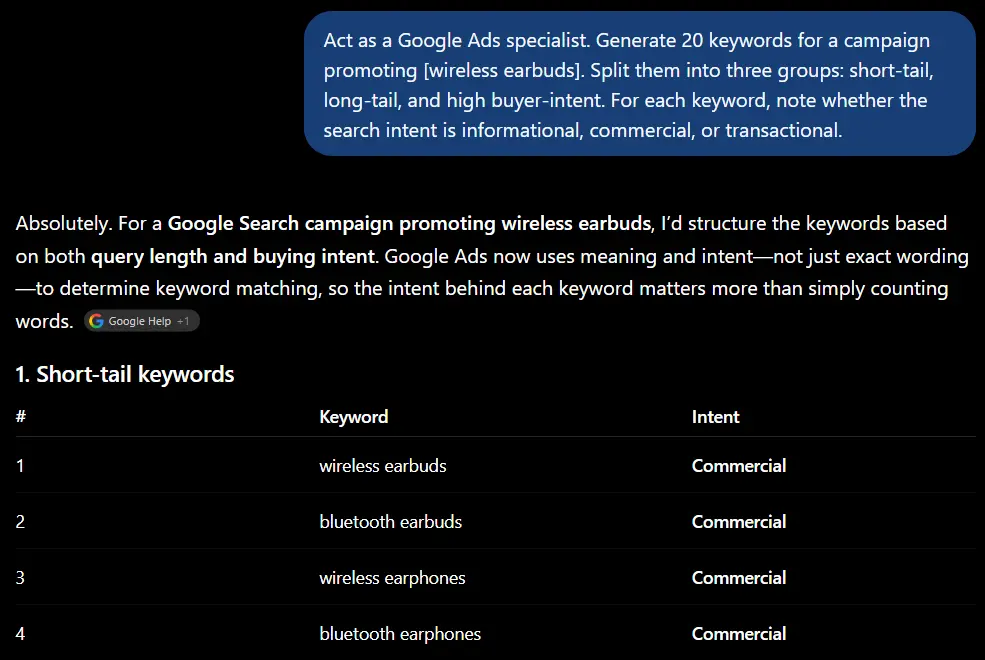
This gets you a keyword list that’s already organized into ad groups instead of one messy pile you have to sort yourself.
Prompt 2: Negative keyword list
Negative keywords are the most skipped part of campaign setup, and they’re often where the easiest budget savings hide.
2. Ad Copy Prompts (Headlines & Descriptions)
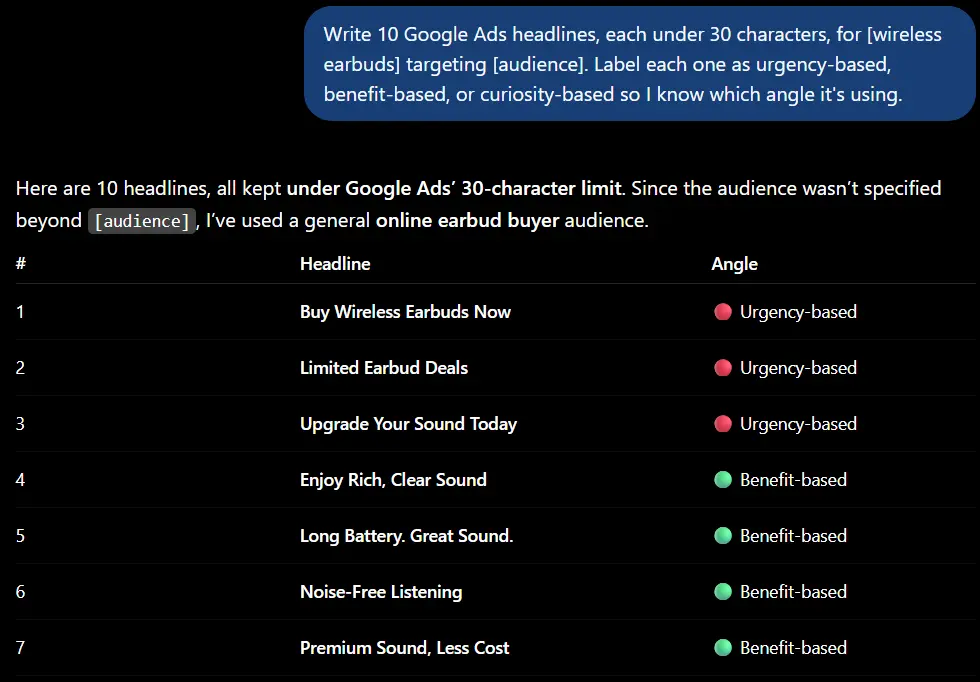
Google Search ads give you 15 headline slots (30 characters each) and 4 description slots (90 characters each). ChatGPT is genuinely useful here because character-limit writing is tedious to do by hand.
Prompt 3: Responsive Search Ad headlines
Prompt 4: Descriptions with different tones
Google’s ad strength score rewards variety, not five headlines that all say the same thing in slightly different words – this prompt forces that variety.
Prompt 5: Improve existing ad copy
This one is worth running on ads that have been live for a few weeks with underwhelming CTR – you get a diagnosis, not just new copy.
3. Audience & Targeting Prompts
Prompt 6: Build your ideal audience profile
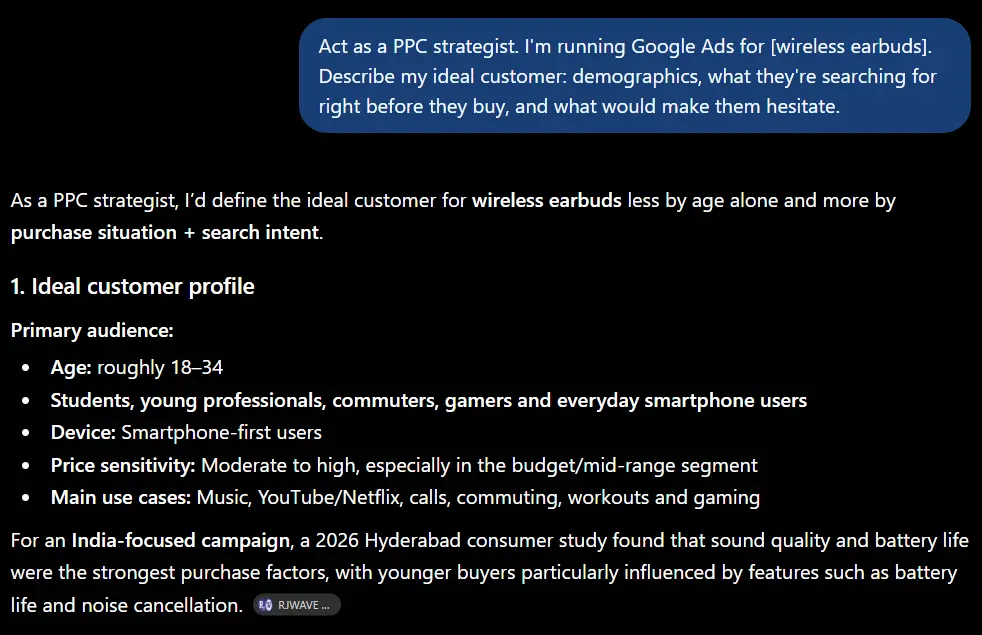
Prompt 7: Identify customer pain points
Pain-point-first ad copy consistently outperforms feature-first copy, because people click on things that sound like a solution to a problem they already have – not a list of specs.
4. Ad Extensions & Creative Prompts
Extensions are free real estate in your ad – sitelinks, callouts, structured snippets. Most advertisers under-use them, and they directly affect Quality Score.
Prompt 8: Sitelinks and callout extensions
Prompt 9: Performance Max asset ideas
5. Testing, Landing Page & Reporting Prompts
Prompt 10: A/B test plan
Prompt 11: Align ad copy with your landing page
Quality Score partly depends on message match between your ad and your landing page – a mismatch here quietly raises your CPC even if the ad itself is good.
Prompt 12: Analyze performance data
This works even with a rough copy-paste of numbers from your Google Ads dashboard – you don’t need to format anything.
Bonus: The “Mega Prompt” (Everything in One Shot)
If you want a faster starting point instead of running all 12 prompts one by one, use this combined version. It won’t replace the detail you get from the individual prompts above, but it’s a solid first draft in a single response — useful when you’re starting a brand-new campaign from scratch and just need something to react to.
Prompt 13: All-in-one campaign starter
Run the 12 prompts above individually when you want depth on a specific piece (like fixing underperforming ad copy). Use this one when you’re setting up a new campaign and want a full first draft fast.
A Word of Caution Before You Publish Any of This
ChatGPT doesn’t know your Quality Score, your actual competitors’ bids, or how your specific audience has responded historically – you do. Use these prompts to get past a blank page faster, then apply what you already know about your account before anything goes live. Also double-check character counts yourself; ChatGPT occasionally goes a character or two over Google’s limits.
Frequently Asked Questions (FAQs)
Q1. Are ChatGPT prompts for Google Ads free to use?
Yes. The prompts themselves cost nothing – you only need a ChatGPT account (the free version works fine for most of these). You’re only paying for your actual Google Ads spend, not for prompt access.
Q2. Can ChatGPT write my entire Google Ads campaign for me?
It can draft most of the text – keywords, headlines, descriptions, extensions – but campaign structure, bidding strategy, and budget decisions still need a human who understands the account’s history and goals.
Q3. Do these prompts work for Google Ads PPC in general, not just Search ads?
Yes. Prompts 8 and 9 above are built specifically for Performance Max and Display, and the rest adapt easily – just tell ChatGPT which campaign type you’re writing for.
Q4. Is there a downloadable PDF version of these prompts?
Not yet, but you can copy this list directly – every prompt here is written to be pasted straight into ChatGPT with no reformatting needed.
Looking for more AI prompt ideas? Check out our guide on prompts to make ChatGPT write like a human and AI prompts for SEO to round out your content and marketing workflow.